Six Bots, Zero Memory
One support request, twelve emails, 44 minutes, six AI replies, six case numbers. What an agent without memory looks like from the customer's side.
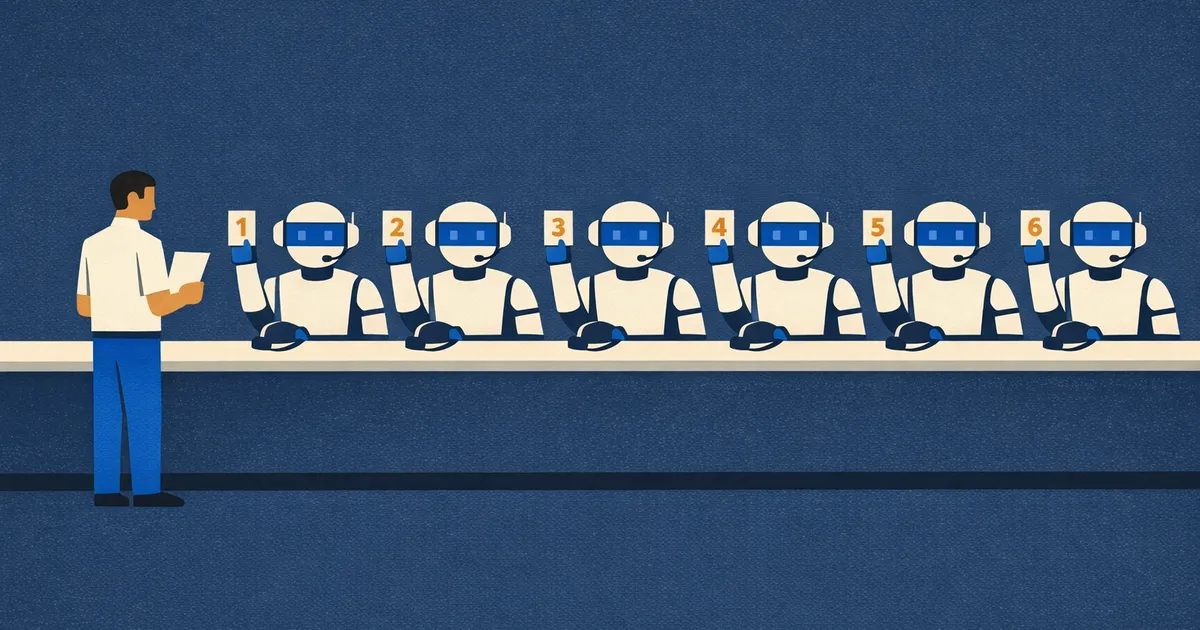
On the evening of Tuesday, September 1, I emailed Rippling support about a stale company address. What came back, over the next 44 minutes, was a conversation with six different AI responders who had never met each other.
PAIR Systems is a startup, and two of us run the entire HR and IT operation for a team spread across the US, Canada, and the Middle East: payroll in two countries, benefits through a PEO, employer-of-record hires abroad, contractors, devices, and compliance paperwork I did not know existed until it showed up as a task. Rippling makes all of that feel like something a big company does with a department, except it’s two people and a login. That is not a small thing, and I don’t want the rest of this post to read as if I think it is. Earlier the same day Rippling had emailed twice about Canada, once to say that our benefits coverage there was now active and once to say that if I did not confirm the renewing package within two days it would renew itself, and both of those were the product working the way it should.
The thread
Times are Pacific. Every reply came from support@rippling.com, signed “Rippling Support,” with a footer stating that the response was AI-generated, that messages are received by Rippling and Decagon, and a link to view the case.
At 6:24 PM I wrote that the plan overview pages under Benefits still listed an address in Cupertino that we no longer use for anything. I gave two replacements: the office in Mountain View, and a separate mailing address in Covina for statutory notices, because our office moves from time to time and anything that needs a durable address goes to the Covina box. I mentioned that we had already corrected the legal filing address on the payroll side ourselves, named the carriers, Aetna, Kaiser, Guardian, and Voya, all through Rippling PEO, and asked what the carriers would need from us.
The first reply arrived 44 seconds later and opened case #08091085. It said it could see we were a PEO customer with plans through Aetna, Kaiser, Guardian, and Voya, and that before it could help it needed to know whether this was an employee-level issue or an employer-level issue. It defined both, and then reasoned its way to the answer: “Since you’re requesting a company-wide address update that affects all carrier records and plan pages, this appears to be an employer-level issue — but I want to confirm that with you before proceeding.” It also told me something I had not known, which is that for PEO groups the benefits-side company address cannot change mid-year, because the address is an input to pricing and to which plans are offered at all. For a faster response it suggested live chat during business hours. It closed by asking me to confirm the classification, and by saying that a specialist would review the case and be in touch within five business hours.
I confirmed at 6:30, in the first sentence, that this was employer-level and company-wide and had nothing to do with any individual’s enrollment. Since the address could not change until renewal, I asked for two things: queue the change for our December 1 renewal, and tell me where carrier and compliance mail for the current plan year was being sent, because anything going to Cupertino was not reaching us.
The second reply, 34 seconds later, case #08091161, was the best of the six. It thanked me for confirming this was an employer-level issue. It could not queue anything for a future date, but it explained that the standard renewal flow has an address step, that the quick renewal path requires an unchanged address, and that we would therefore need the standard path in December, which was correct and useful. It explained where the address on the ACA forms comes from and gave accurate steps for changing it. On the question of what the carriers had on file for mail it said it had no information, and asked: “Could you share which carriers you’re currently enrolled with so I can look into whether there are any additional steps available?” My first email had named them, and so had the first reply.
By 6:54 I had checked that the mailing address in Organizational Data was already Covina, changed the billing address to the Mountain View office while I was in there, and pulled the group numbers for every carrier, which turned up a fifth one my first email had missed. I sent all of that back: what was already done, that we would use standard renewal in December, the five carriers with their group numbers, and the one remaining question, which was whether any of those five had the Cupertino address on file for mail and how current plan year mail gets redirected to Covina.
The third reply came 47 seconds after that, case #08091488. It began “Thank you for the detailed update, Amin,” and it had read the update, because it repeated back the steps I had taken and the plan to use standard renewal. It said it could not access carrier records or change carrier-held information, and that mid-year changes to carrier enrollment details were not supported for PEO groups. Its last paragraph asked, before it could point me in the right direction, whether I could clarify if this was an employee-level issue (concerning a specific individual’s enrollment, coverage, qualifying life event, or open enrollment event) or an employer-level issue (concerning company-wide plan configuration, contribution scheme updates, plan rule changes, or plan pricing updates), in the same words the first reply had used. A specialist would review the case and be in touch within five business hours.
At 6:58 I asked for a human. I listed the three case numbers, said that the last reply had asked me to classify the issue a second time after I had confirmed it in writing, and wrote that this was circular and it was not support. I restated the classification, restated the one open question, and pointed out that as the PEO, Rippling holds the carrier relationships, so this could not be solved from my side. The last two sentences were: “Do not reply with another bot message asking me to classify the issue. Route this to a person on the PEO benefits team with the context above.”
The fourth reply took 79 seconds, the longest wait of the evening, and opened case #08091528. It thanked me for confirming this was an employer-level issue and for the full context. It noted that I had explicitly asked to be connected to a person on the PEO benefits team, agreed that carrier-specific records required someone who could review our PEO carrier relationships, and said it could connect me with a specialist. Then it asked: “Would you like me to connect you to a specialist? All the details you’ve provided — the employer-level classification, the carrier groups, the old Cupertino address, and the Covina redirection address — will be included so you won’t need to restate anything.”
I wrote back at 7:03: “Yes. Connect me to the specialist. That is what I asked for in my previous message.” I added that this was the fourth AI response and the second time I had answered a question I had already answered, and asked that the specialist be a person who had the full thread.
Thirty-seven seconds later, case #08091635: “I understand your frustration with having to repeat yourself, Amin.” It summarized, accurately, that I wanted the company address updated on benefits and carrier records and wanted a human specialist who had read the thread. Then it said it would like to connect me with a specialist who could assist with updating my company address on my benefits and carrier records, and asked whether I would like it to do that.
At 7:08 I replied with one word, and 42 seconds later case #08091771 opened with “It looks like you’re looking to update your company address on benefits and carrier records. I’d like to make sure I give you the right guidance for your situation. Could you share a bit more detail about what you’re trying to do?” It offered three possibilities: the address on employee pay slips, the address on the ACA forms, or the address on file with the benefits carriers. The third one is the first sentence of the email I sent at 6:24.
The thread ends there. Two of the six replies had said a specialist would be in touch within five business hours. I’m sure one will.
What broke
It would be easy to say the model was bad, and it wasn’t. Read the replies and they are fluent, polite, well formatted, and individually sensible. The second one contained real, correct information about the renewal flow and the ACA forms. The fourth summarized my escalation request accurately, and the fifth summarized it accurately again. Each one is a perfectly good answer to a message in isolation.
But a support conversation carries state: who this customer is, what they asked, what they have already answered, what the last reply promised them. Four of the six replies had my previous email quoted in full beneath their own text, so the raw words were sitting in the context window, and the replies still went wrong in a specific way. The third reply had my carrier list and my status update in front of it and answered those, but the classification had happened two messages earlier and nothing carried it forward, so it asked again. The fifth reply had my “Yes. Connect me to the specialist” in front of it and no record of the fourth reply’s offer, so it made the offer again, and the sixth had the word “Yes” and nothing else, so it started over. Words in a context window are not the same thing as memory. Memory is knowing that the classification question has been asked and answered, that the customer has requested escalation, that the previous turn committed to a handoff, and none of that survived from one turn to the next.
The six case numbers are the closest thing I have to an explanation. I don’t know how the system is wired, and my best guess from the outside is that each inbound email is treated as a new ticket and answered by a fresh instance whose context is that email and whatever it happens to quote. From the inside of each instance, everything looked correct. From the outside, a system that had promised me in writing that I would not need to restate anything was asking me to restate everything, with no way of knowing it had made the promise.
This is the failure mode of agents without memory, and once you know what to look for it is everywhere: the coding agent that re-investigates the bug it diagnosed an hour ago, the assistant that asks for your preferences every session, the workflow that loops on the same retry because it cannot remember it already tried. Fluency is solved. Continuity is not.
Why memory has to be governed
The reason this is harder than adding a database is that the memory this bot needed is sensitive. It contains my company’s addresses, our carriers and group numbers, our plan details, the fact that we are a PEO customer. The fix is not a global pile of everything every customer ever said, but a support agent that, on this thread, can recall exactly this customer’s conversation and account context and nothing else, can write down “customer confirmed employer-level, requested human escalation” and have the next turn read it, and can hand the same memory to the human specialist when one finally picks it up, so that the specialist does not get a fresh start either. A security team should be able to see what the agent retrieved on each turn and why.
That is a permissions problem and an audit problem as much as a retrieval problem: who owns a memory, which roles can read it, which keys can write it, what was retrieved on which turn. Get it wrong in the other direction and you have a bot that remembers too much, across customers, which is worse than one that remembers nothing.
This is the problem we’re building GoodMem to solve. Memory lives in spaces, and a space has an owner, roles, and grants, all of them enforced inside the database query rather than filtered afterward in application code. A support agent would get one space per customer, or one space with the customer’s ID on every memory and a filter on every query, and an API key issued with a ceiling that ends at that space, so the key can read and write that one customer’s memory and nothing else, and it can be given an expiry and revoked at any time without touching the person or service it was issued to. The specialist who picks up the case is given the viewer role on the same space and sees what the agent saw.
Retrieval can be logged, per request or by an administrator’s policy, and the log records who asked, under which key and trace ID, which memories came back and how they scored, with the memory text itself kept out of the log. When retrieved text is handed back to a model it is fenced as untrusted, which matters when the memory is whatever the customer wrote, including “do not reply with another bot message.” That is a permissions model and an audit table rather than anything the language model does, and it is the part that “just add a database” leaves out. If you are building agents that talk to customers, or to each other, and you have watched one of them loop like this, the details are at goodmem.ai.
Update, September 2. A person replied at 4:06 the next morning, about nine hours after the sixth bot, on the third of the six case numbers. One message settled everything. The benefits address is locked until the December 1 renewal because the plans run through Rippling’s PEO, our organizational address was already correct, and carrier billing goes through Rippling, so there was nothing for me to fix with any carrier. The agent had read the whole thread. They also said they had filed feedback with the product team about the earlier guidance and about my request for a live agent not being routed. So the system did contain what was missing. It was a person, and it took one turn.